How to Add or Edit Business Address, Email and Phone Number
Login to your Fisherman Dashboard (app.gofisherman.com)
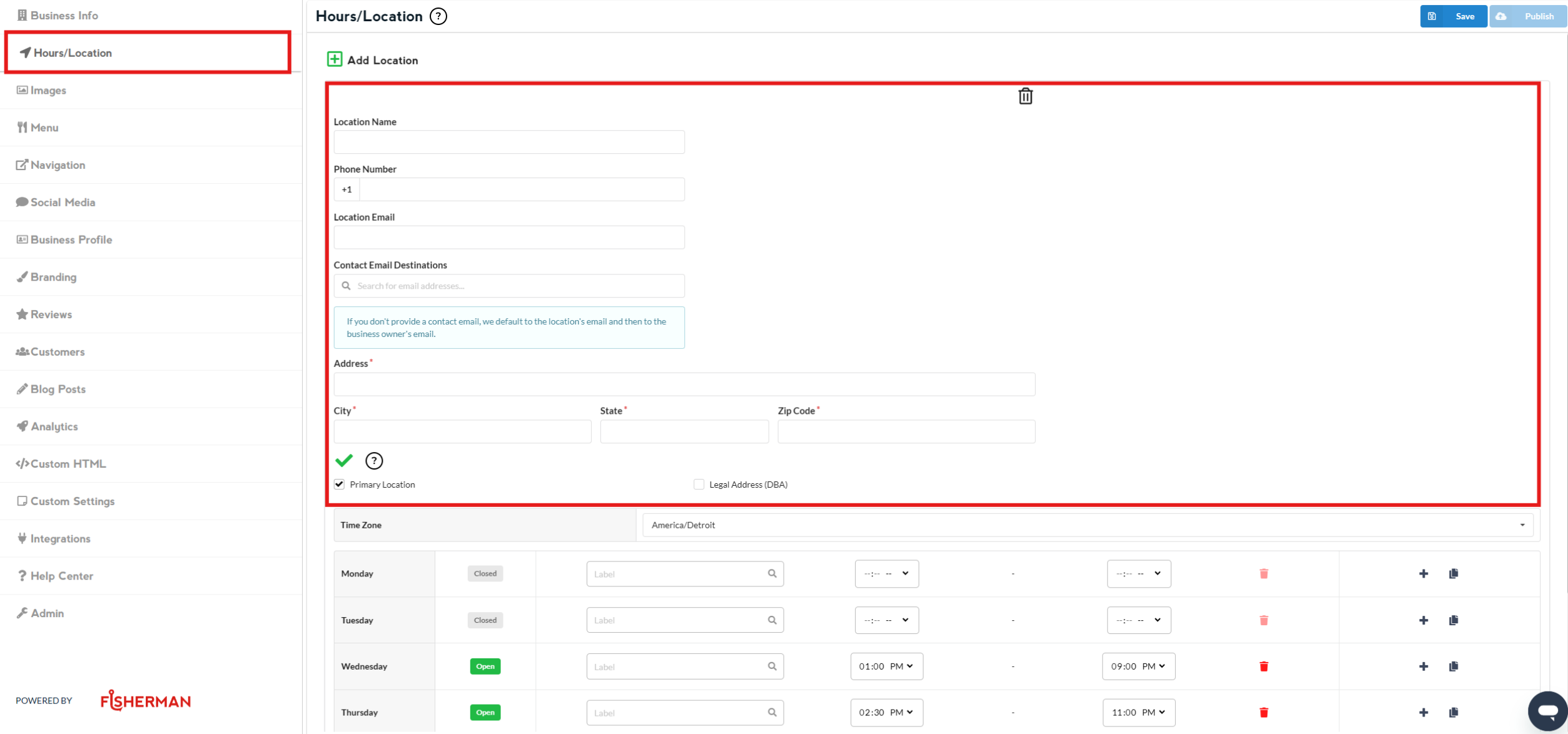
Go to “Hours/Location” section (left side of the dashboard), and there you’ll see a section where you can edit your “Address”
You can edit your existing address on this section
You can add new address by clicking this button
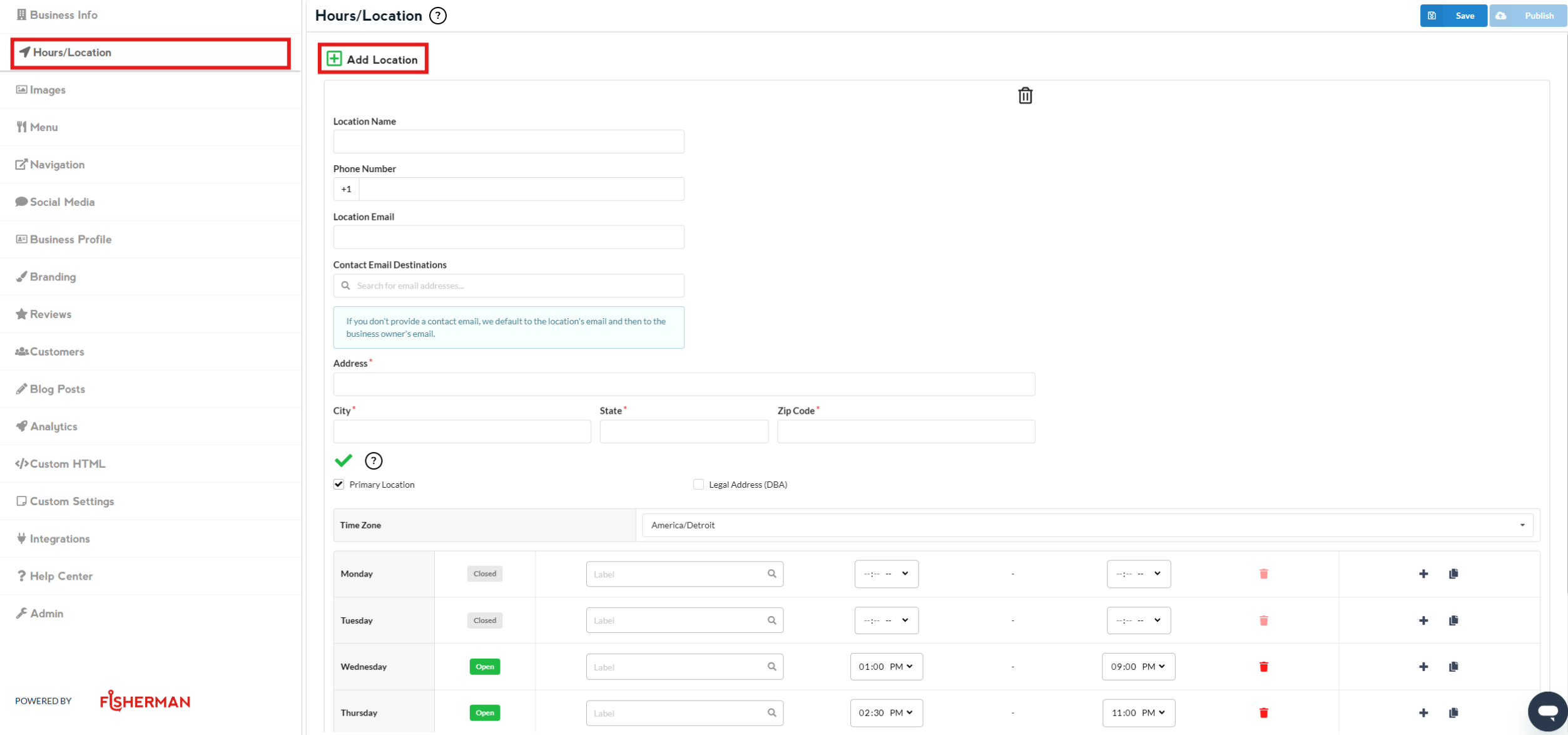
Once done editing, click on Save and then Publish
Note: Changes that you do to the website appear 2-3 minutes after you click on Publish
How to Add or Edit Email Address
Note: The email address entered in this field will be where all form submissions are sent. If no email address is provided, the user admin email will be used automatically.
Login to your Fishermain Dashboard (app.gofisherman.com)
Go to “Hours/Location” section (left side of the dashboard), and there you’ll see a section where you can edit your “Phone Number”
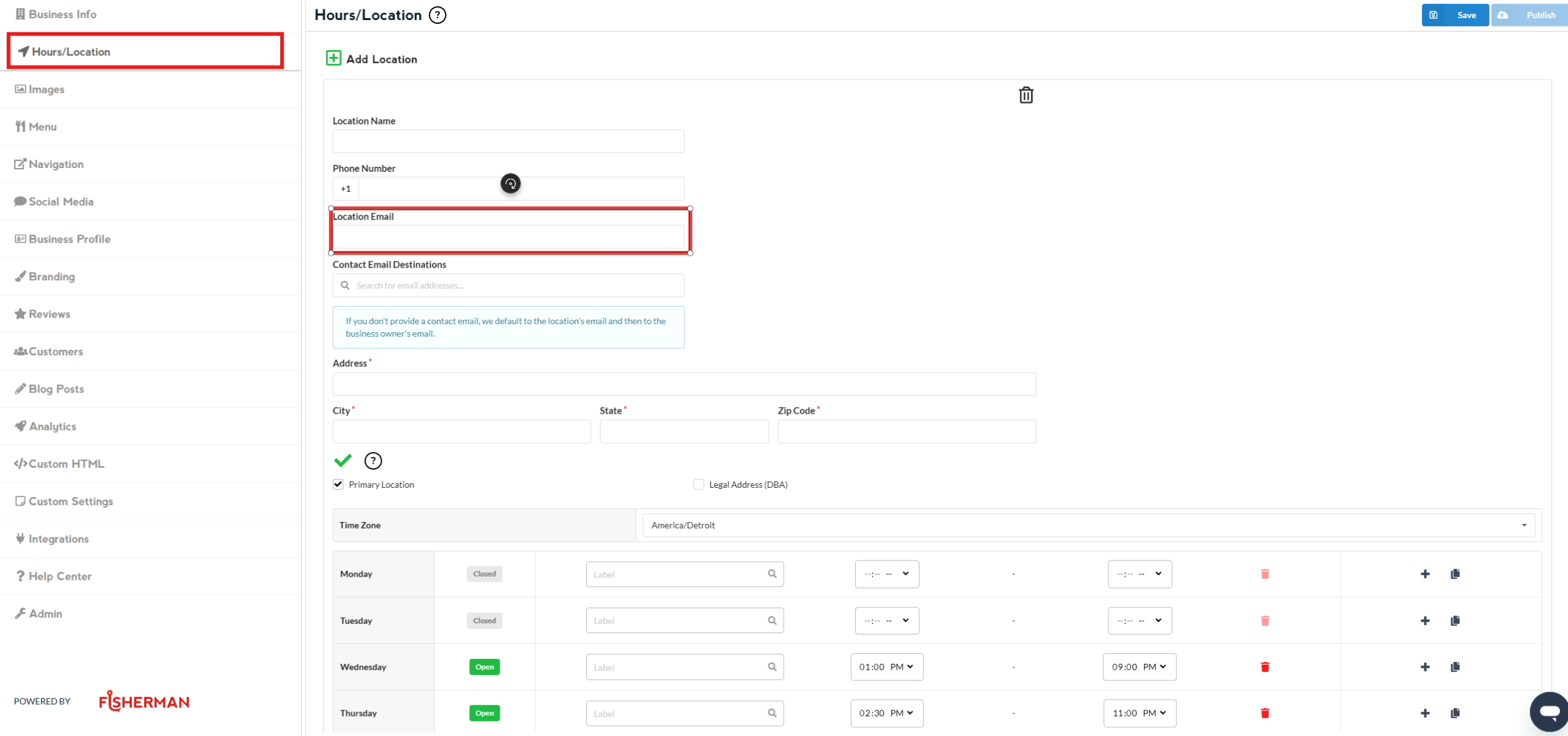
Once done editing, click on Save and then Publish
Note: Changes that you do to the website appear 2-3 minutes after you click on Publish
How to Add or Edit Phone Number
Login to your Fisherman Dashboard (app.gofisherman.com)
Go to the “Hours/Location” section (left side of the dashboard), and there you’ll see a section where you can edit your “Phone Number”
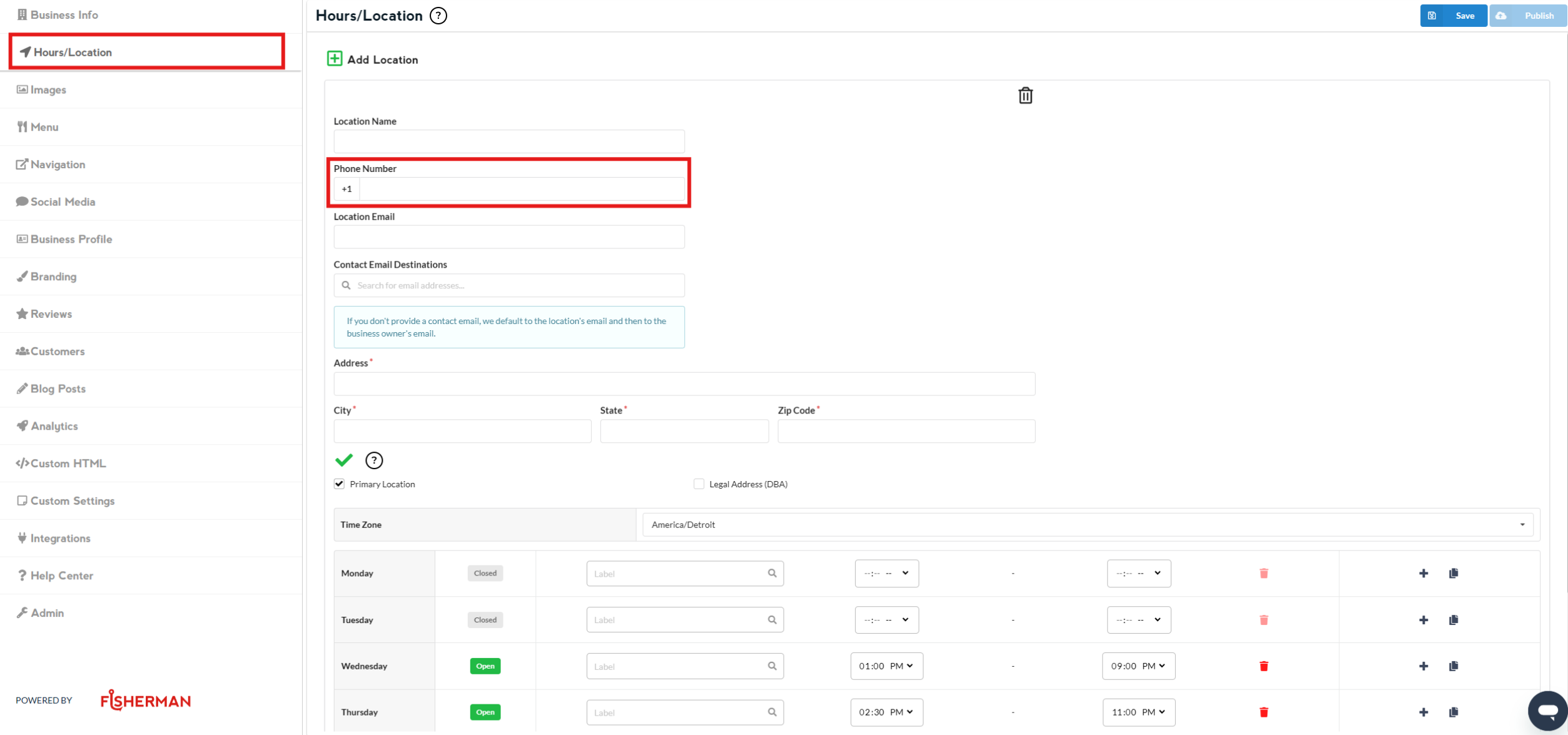
Once done editing, click on Save and then Publish
Note: Changes that you do to the website appear 2-3 minutes after you click on Publish