How to View or Edit Contact Form Submissions
Edited
Log in to your Fisherman Dashboard (app.gofisherman.com)
Go to the “Customers” tab (left side of the dashboard), and there you’ll see “Customers” and “Submission” Section”
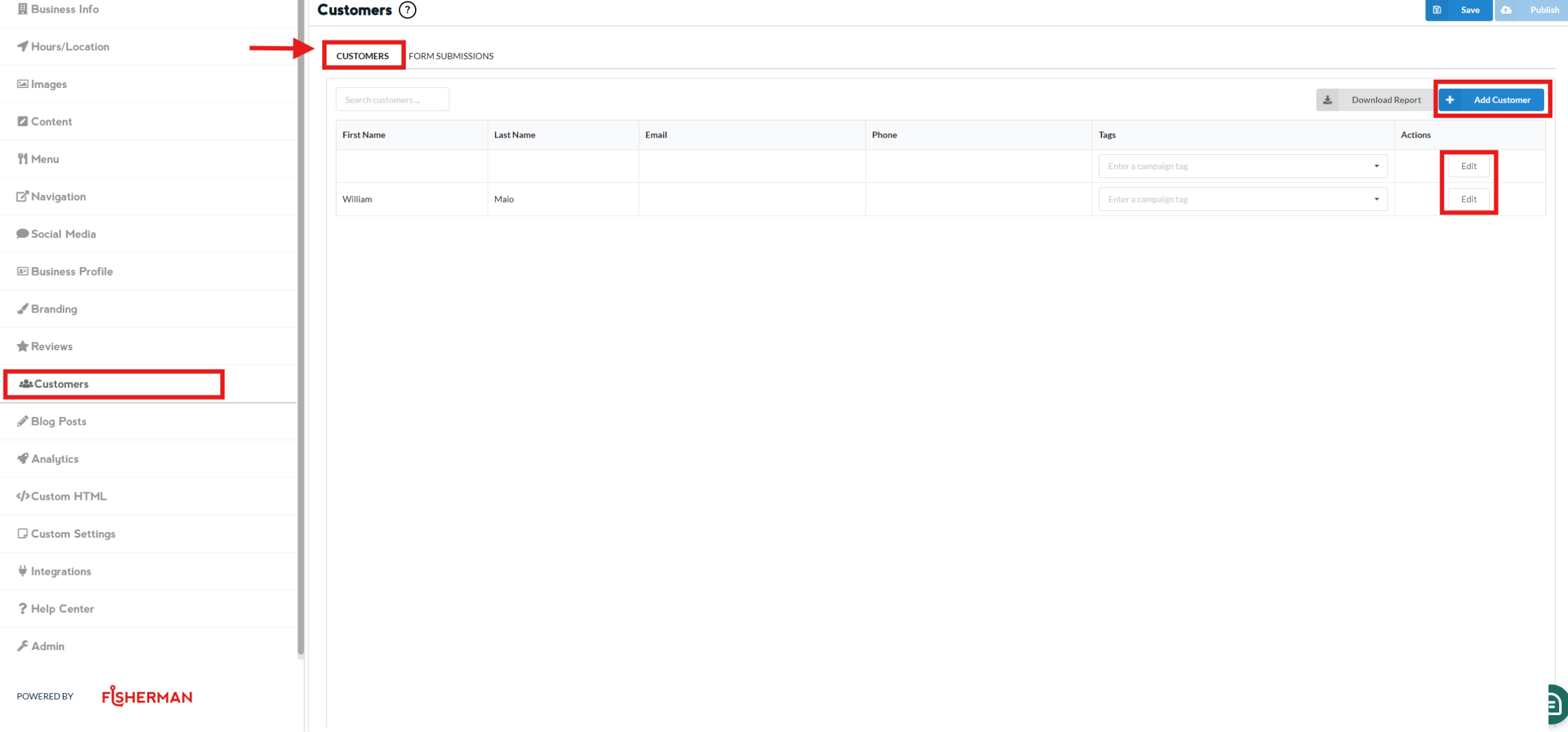
CUSTOMERS Section (Add, Edit, and Download Customer's information)
Click on “Add Customer” if you wish to add a new one, and fill out the form with their details
Click on “Edit” if you wish to edit an existing information
Once done editing, click on Save
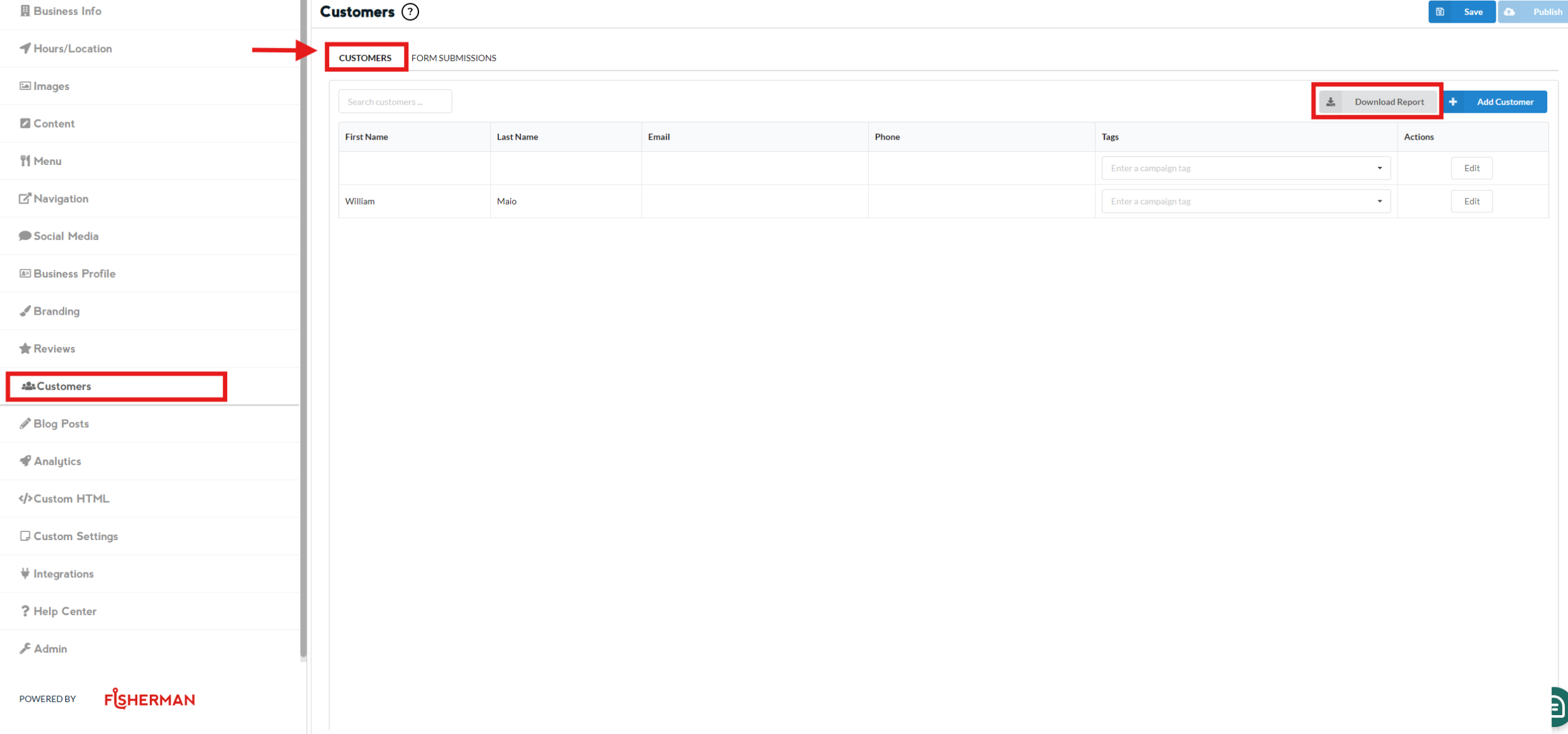
Click on “Download Report” if you wish to download customer's information
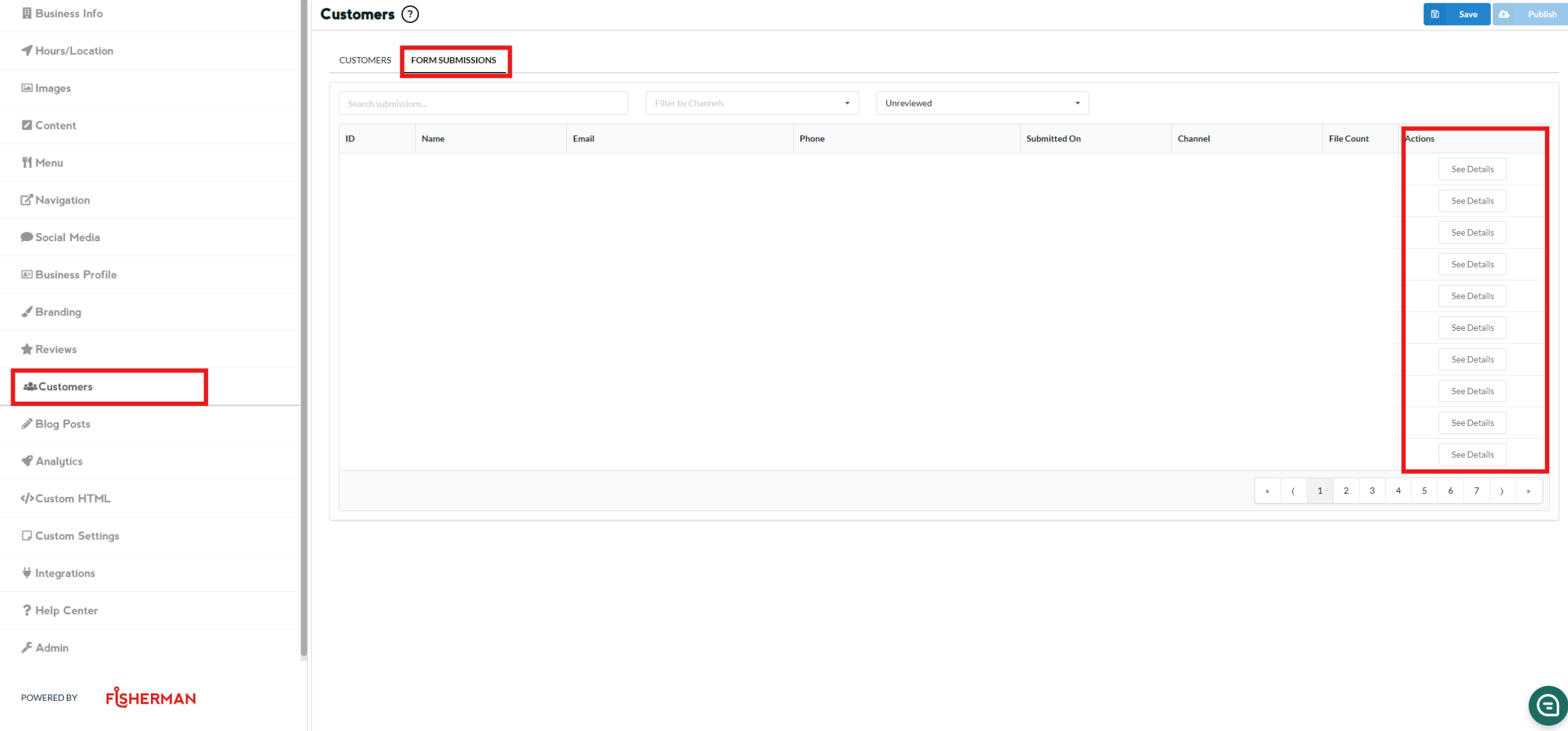
FORM SUBMISSIONS Section (View Information)
Click on “See Details” if you wish to view the customer's submission information