How To Redeem Level Points
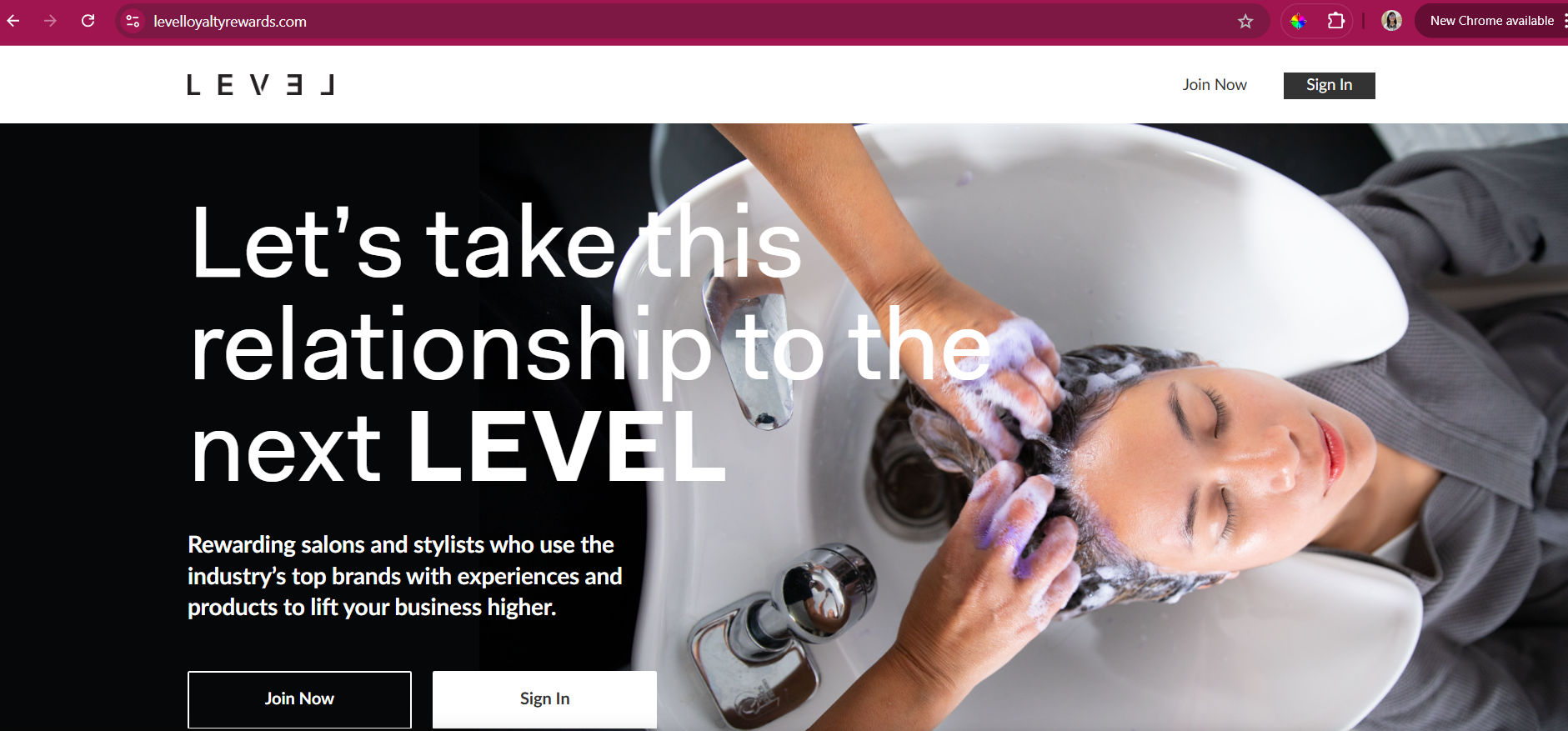
1. Go to levelloyaltyrewards.com and sign in using your username and password.
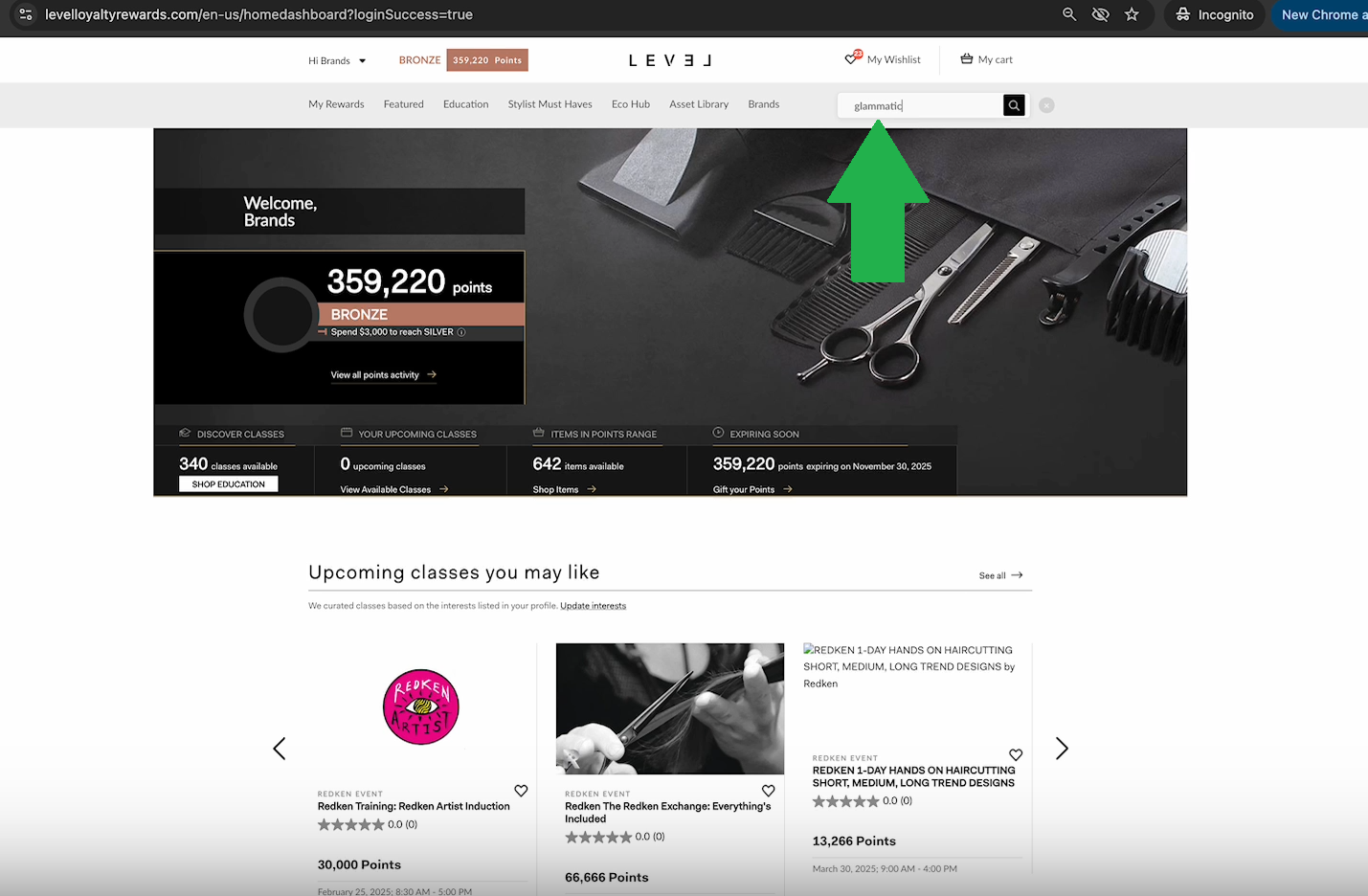
2. On the search bar, search for 'Glammatic', and then hit enter
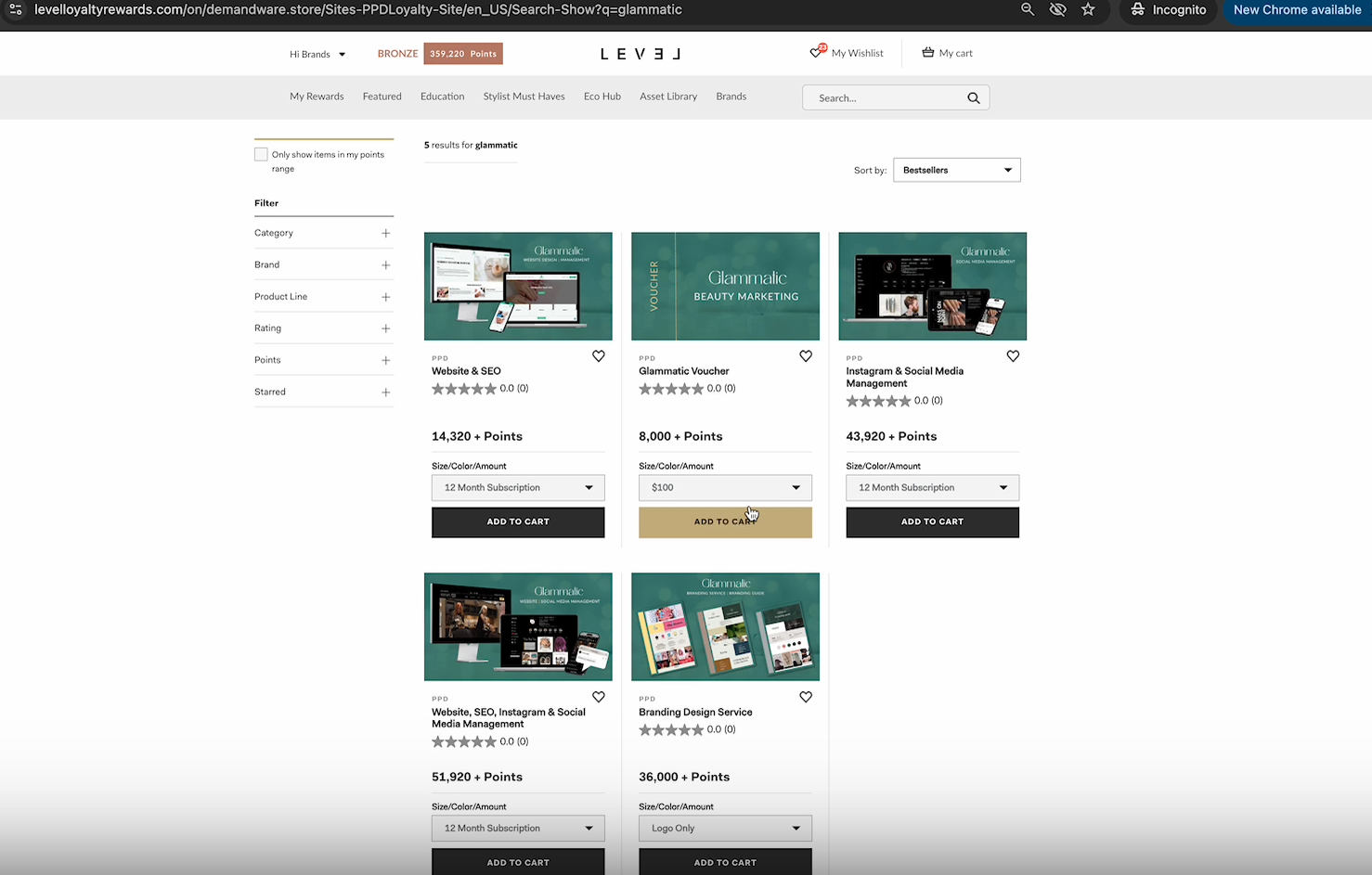
3. Once you're on this page, select the voucher you want to redeem. In this case, choose 'Glammatic Voucher.'
Once you've selected the points you'd like to redeem from the dropdown, click 'Add to Cart.
Please note that $1 is equals to 80 LEVEL points. To redeem a specific amount from your remaining balance, we follow this calculation:
Example:
You want to redeem $649 from your account balance.
The calculation would be:
$649 × 80 points/$1 = 51,920 LEVEL points
Therefore, you would need 51,920 LEVEL points to redeem $649.
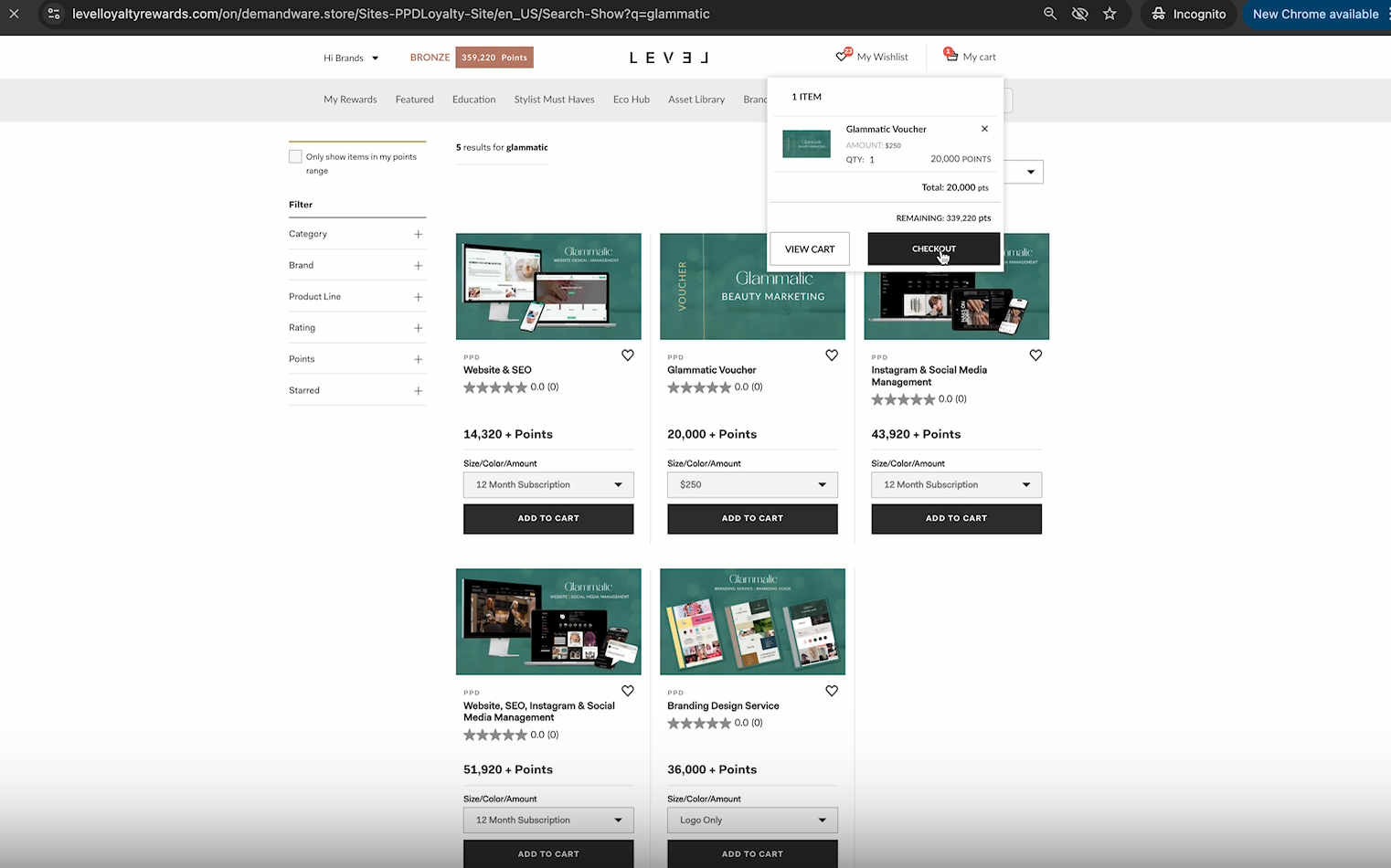
4. Once you're ready to pay, go to your cart and click 'Check-Out.' You also have the option to review your cart before proceeding.
5. Enter your payment details and click 'Review Order.'
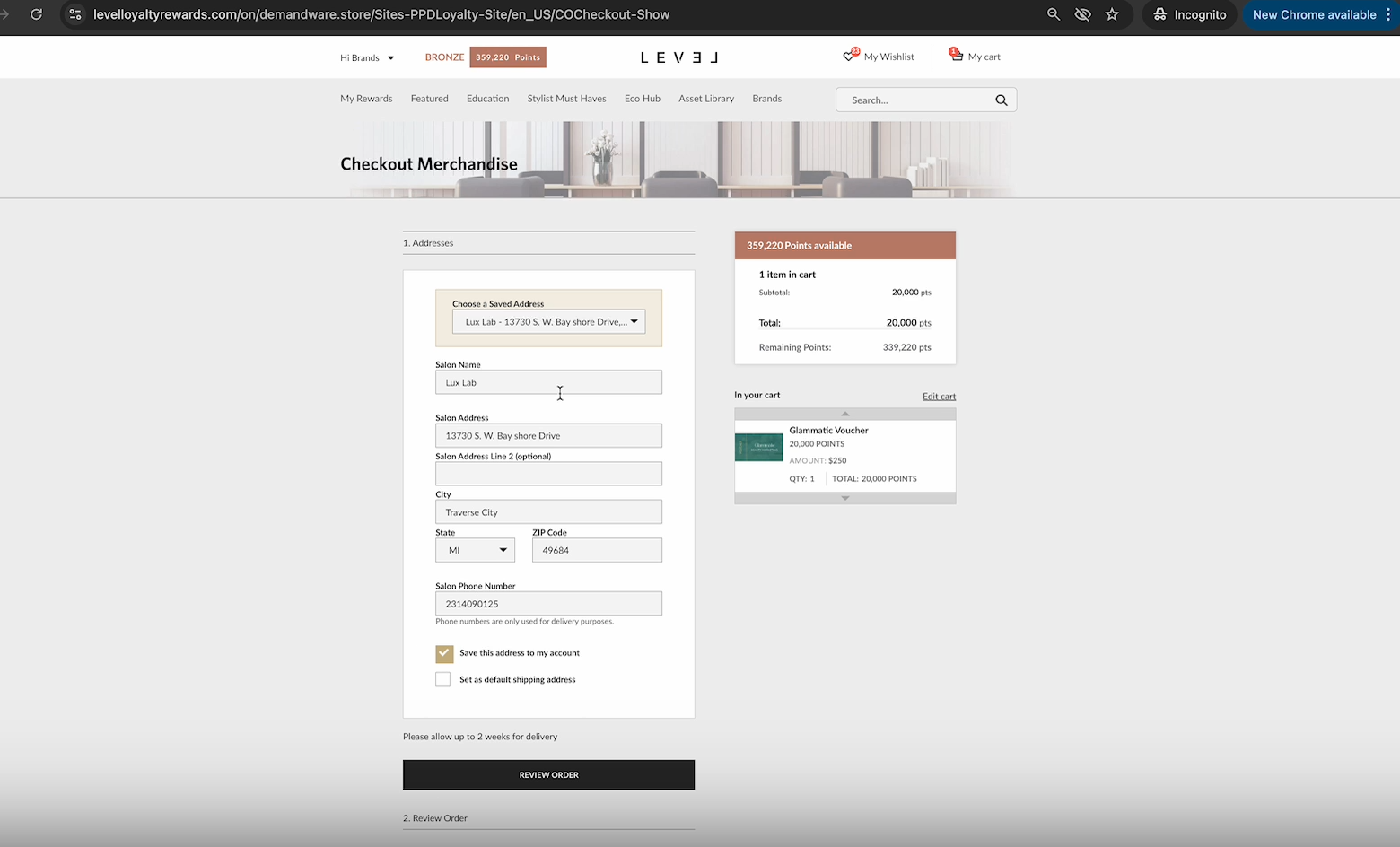
6. then click on 'Place Order'
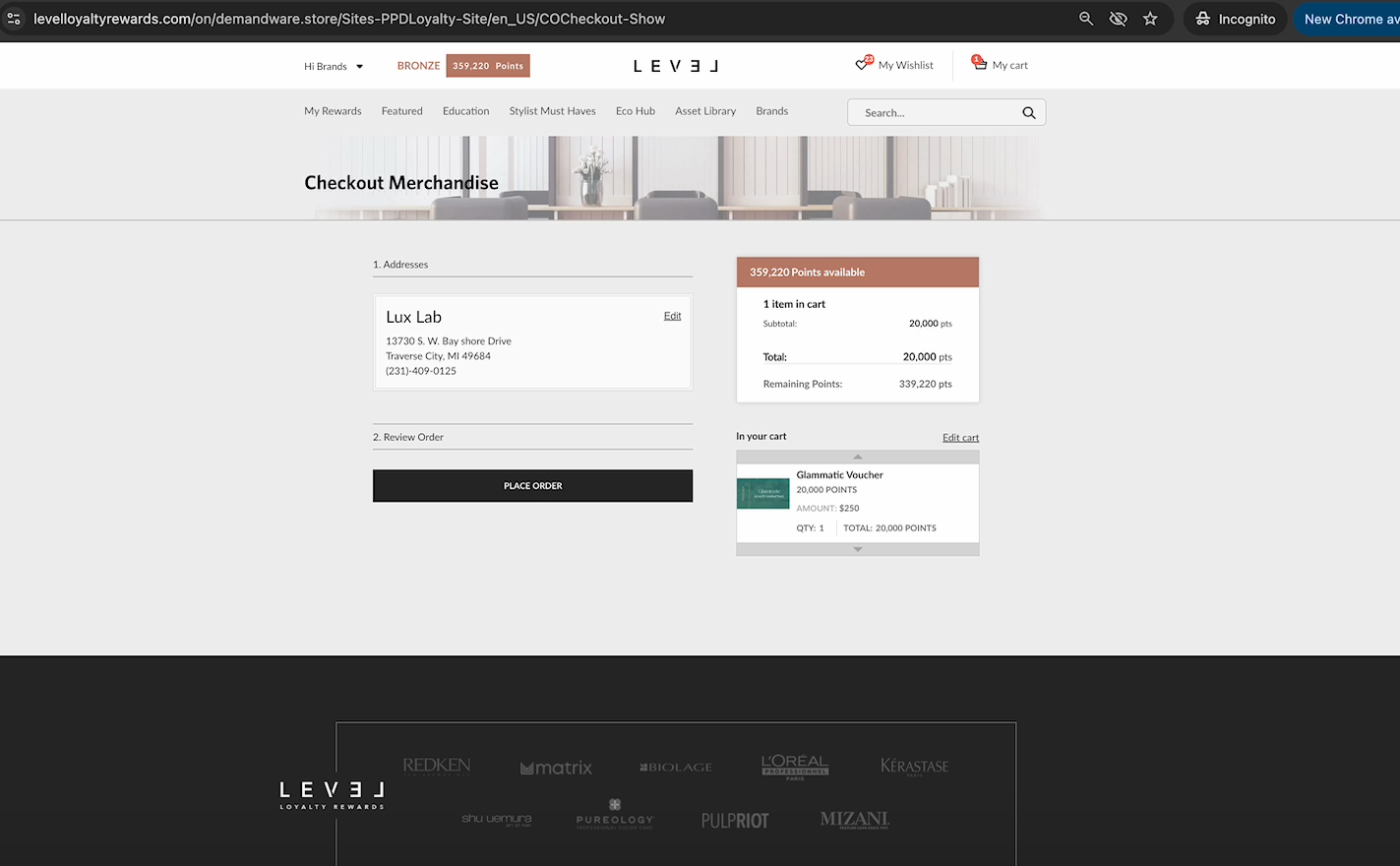
7. A confirmation email with your order details will be sent to you. Please send us a screenshot of the details with the order # and the dollar amount so we can apply the level points to your account.
For further understanding, please refer to the video link attached below: https://www.loom.com/share/6a8d5c07ff0e44809bd840b77620db6d