Logging into the Glammatic Dashboard
When you sign up for a website, a dashboard account is automatically created for you using the email address you provided. If you have never logged in before, you'll need to use the email sign-in link option or sign in with Google. Upon your first login, you'll be prompted to create a password.
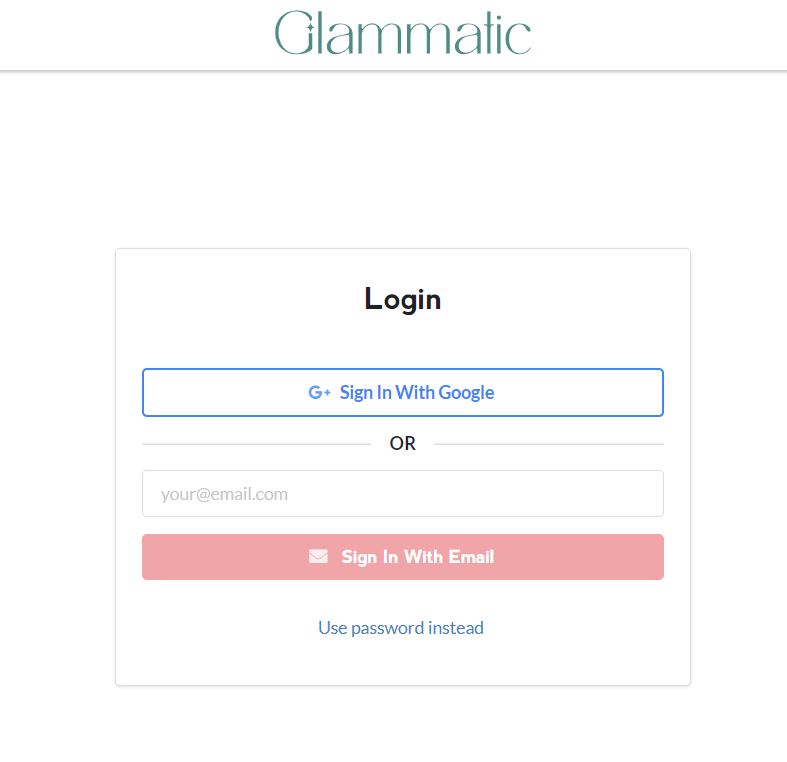
Logging In with the Email Sign-In Link
1. Visit the Login Page:
Go to the Dashboard login page at https://app.gofisherman.com/.
2. Enter Your Email Address:
In the email address field, enter the email address you used to sign up.
3. Sign In with Email:
Click the "Sign in with Email" button.
4. Check Your Email:
Open your email inbox and look for an email with the subject "Glammatic Dashboard Sign In Link."
5. Sign In:
Open the email and click the "Sign In" button. This will automatically log you into your dashboard.
Important Notes:
Email sign-in links are time-sensitive and can only be used once. If the link expires or you need another, you can always request a new email sign-in link.
If you also have a password set up, you can use either the email sign-in link or your password to log in.
Logging In with Google
1. Visit the Login Page:
Go to the Dashboard login page at https://app.gofisherman.com/.
2. Sign In with Google:
Click the "Sign in with Google" button.
3. Select Your Google Account:
Select the Google account that is associated with your Glammatic account.
4. Sign In to Google:
If you aren't already signed into Google, you will be prompted to do so.
5. Automatic Login:
After selecting your Google account and signing in, you will be automatically logged into the dashboard.
Important Notes:
The email address you used to sign up must be associated with a Google account to use this login method.
Troubleshooting
If you encounter any issues during the login process, please ensure:
You are using the correct email address associated with your account.
For email sign-in links, check your spam/junk folder if you don't see the email in your inbox.
If you are still experiencing difficulties, please reach out to our support team at help@glammatic.com.