How to Add New Users to Your Dashboard
To maintain security and consistency, new dashboard users can only be added by the current Admin on the account. If you would like to add a new user to your account, please follow the steps below:
1. Navigate to the Admin Page:
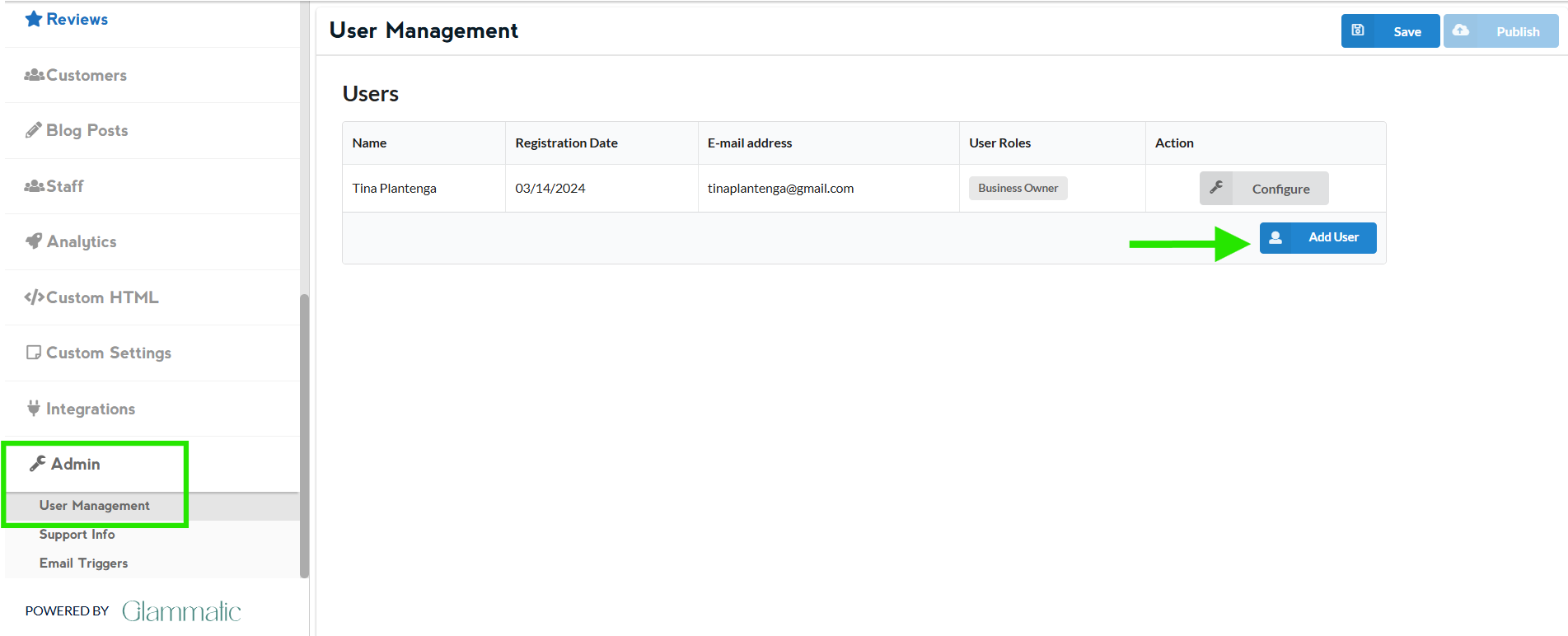
Log in to your dashboard.
Click on the “Admin” page from the list.
2. Gather Required Information:
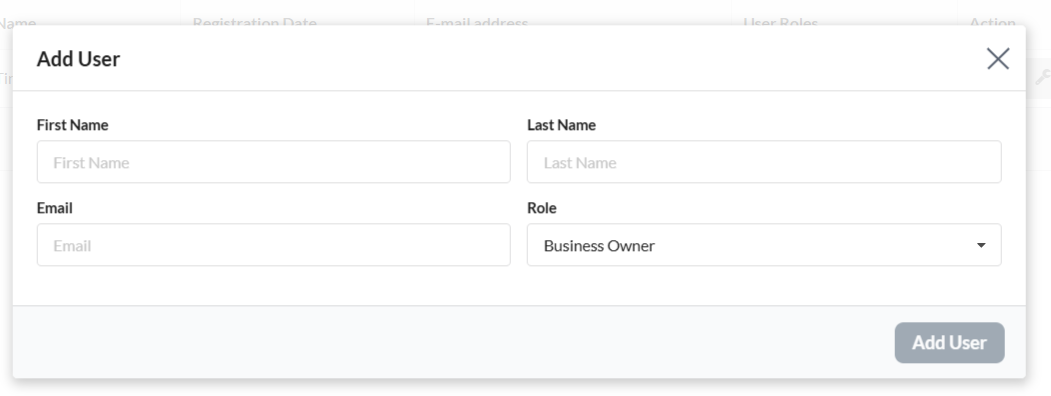
Ensure you have the following details of the new user:
First Name
Last Name
Email Address
Note: All contact emails will be sent to the email address entered here if ‘Contact Email Destinations’ in the Hours/Location tab is not filled out.
Important Considerations
Before adding a new user, please be aware of the following:
Access Permissions: Any user added to your dashboard will have full access to:
Make edits to your website
View and change your plan type and billing information
Receive contact form submissions
User Responsibility: Ensure that the new user understands their access level and responsibilities, as they will have significant control over your account.
If you have any questions or need further assistance, please do not hesitate to contact us at help@glammatic.com. Our team is here to help!