How to Add or Edit Business Hours
Edited
Log in to your Glammatic Dashboard (app.gofisherman.com)
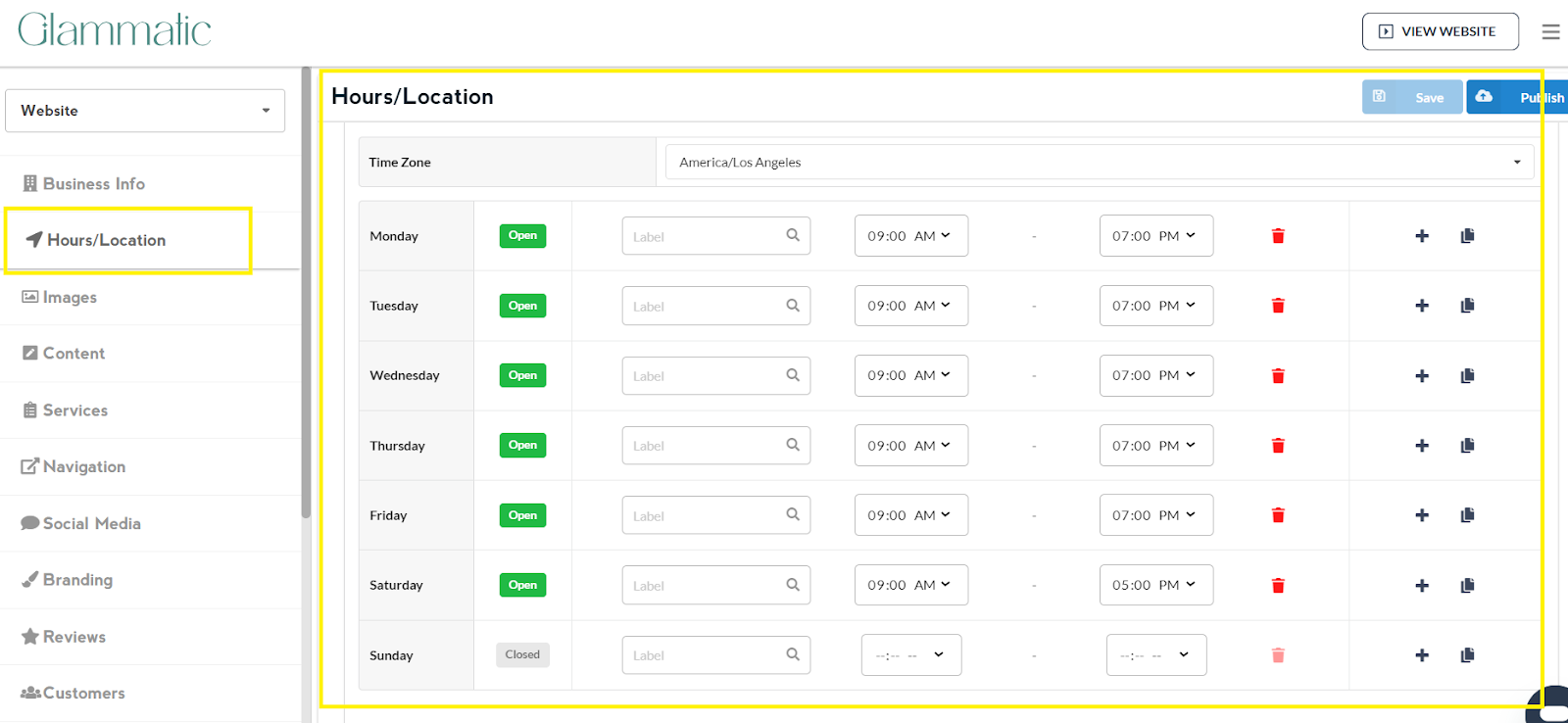
Go to the “Hours/Location” section (left side of the dashboard), and there you’ll see a section where you can edit your “Hours”
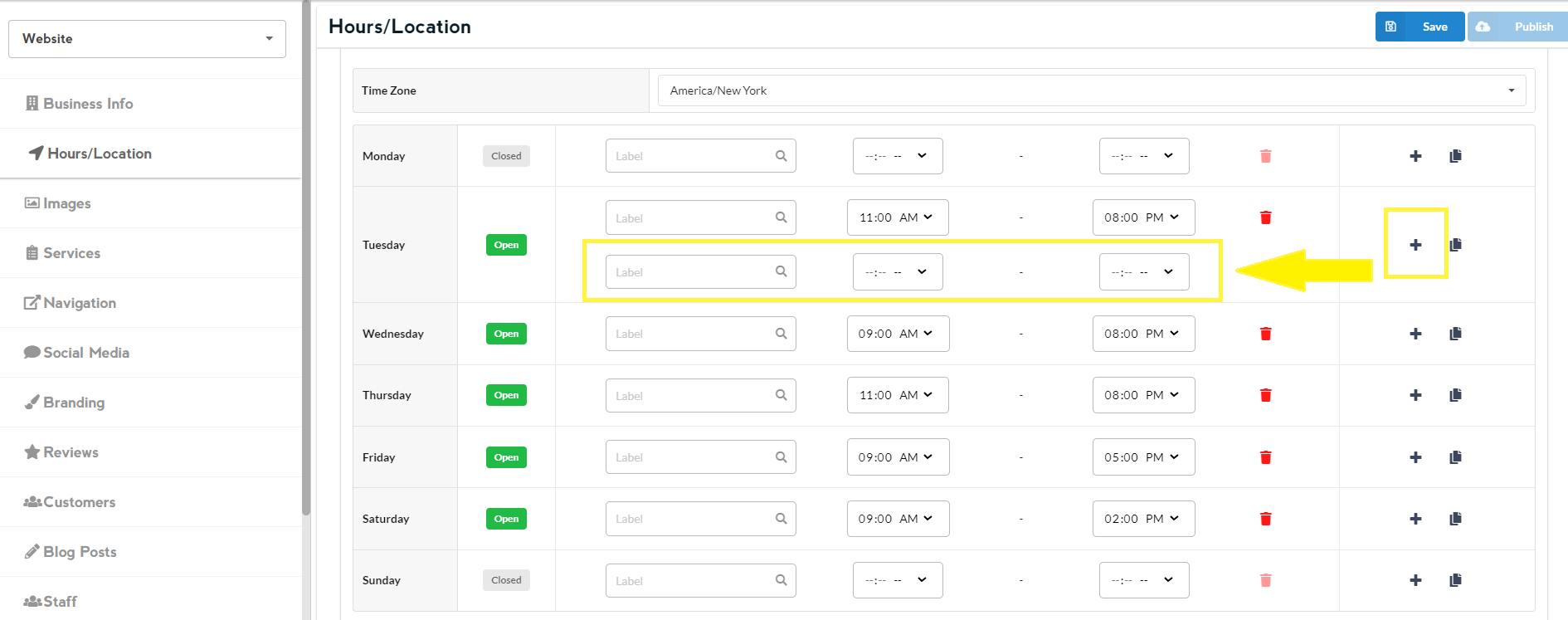
There is also an option for you to add another label by clicking on the + sign, in case you have two different time slots or two different activities in a day.
Once done editing, click on Save and then Publish
Note: Changes that you make to the website appear 2-3 minutes after you click on Publish