How to Add FB, IG, Yelp, Google, etc. Buttons
Edited
Login to your Dashboard (app.gofisherman.com)
Go to “Social Media” section (left side of the dashboard)
Click on “Add Social Media” and choose which social media you would like to add
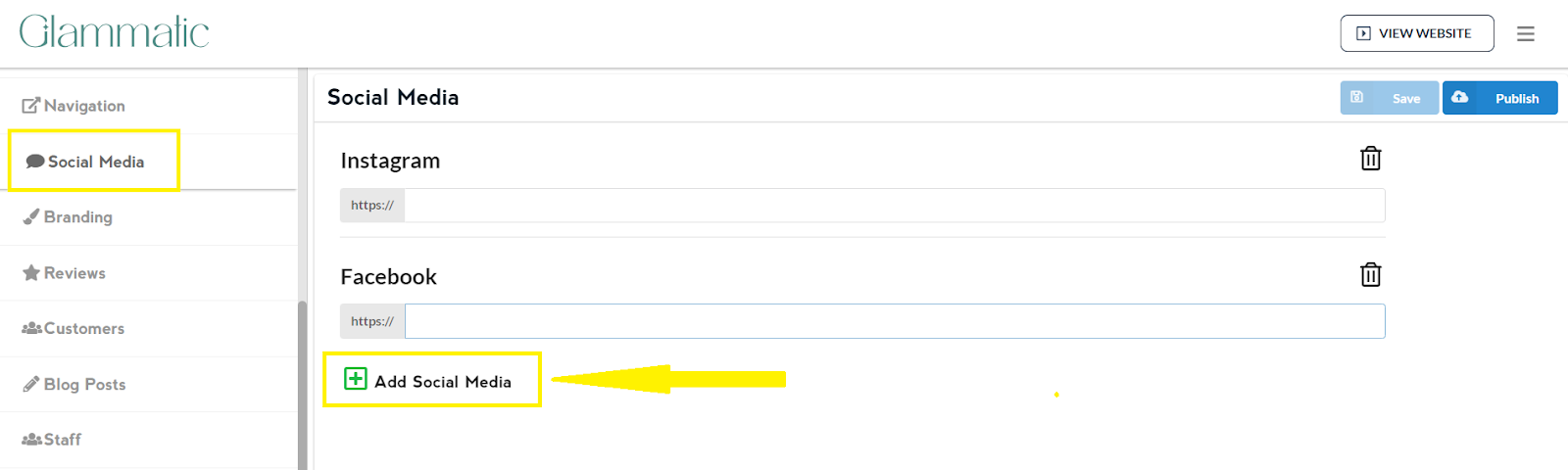
Enter your social media link
Once done editing, click on Save and then Publish
Note: Changes that you do to the website appear 2-3 minutes after you click on Publish